

Download Shup – Fast & Secure Screenshot Sharing Tool for Windows, Mac, Android, iOS
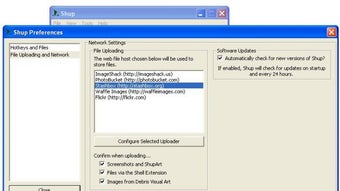
Shup is a lightweight, fast, and secure screenshot tool designed for effortless image capture and instant sharing. Whether you're a student, professional, or casual user, Shup streamlines the process of capturing your screen and uploading it to popular image hosting platforms like Imageshack, Photobucket, Flickr, Stashbox, and Waffle Images. With just a few clicks, you can take a full desktop screenshot or capture an active window and share it instantly.
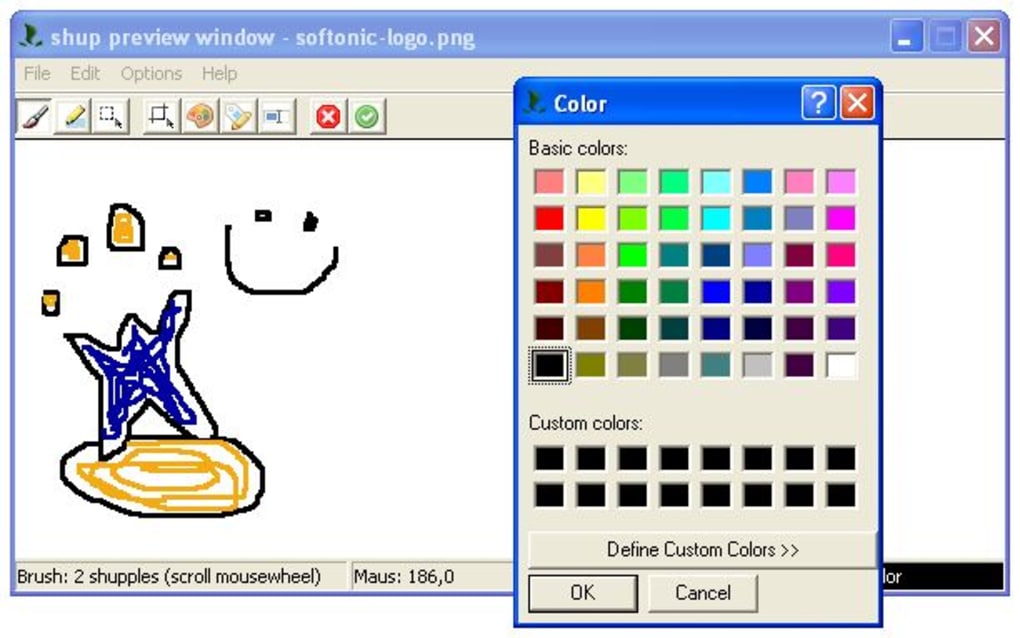
The built-in basic editor allows for quick annotations, making it perfect for marking up errors, highlighting important details, or creating simple diagrams. Despite its minimal feature set, Shup excels in speed and simplicity—ideal for users who prioritize efficiency over advanced editing. The software is available for free on Windows, Mac, Android, and iOS, ensuring cross-platform compatibility.
With automatic updates and a clean interface, Shup ensures a smooth experience every time. Download Shup today and simplify your screenshot workflow.
Why Shup Stands Out Among Screenshot Tools
When it comes to screen capture tools, most options either overwhelm users with excessive features or lack essential sharing capabilities. Shup strikes the perfect balance by focusing on speed, simplicity, and direct sharing. Unlike complex software that requires multiple steps to capture, edit, and upload, Shup condenses the entire process into a single intuitive workflow.
The moment you trigger a screenshot—whether via keyboard shortcut or on-screen button—the image is captured and automatically uploaded to your chosen hosting service. This seamless integration with five major image hosting platforms means you never have to manually copy and paste or navigate external websites. The tool supports both full desktop and active window captures, giving you flexibility without clutter.
What sets Shup apart is its lightweight design; it runs smoothly even on older systems, consuming minimal RAM and CPU. This makes it ideal for users who want a no-frills solution without sacrificing performance. Additionally, the basic built-in editor allows for quick text annotations, arrows, and shapes—perfect for highlighting issues in software or marking up feedback.
The fact that Shup only supports PNG format ensures high-quality images with transparency support, though this may limit users who prefer JPG. Still, for those prioritizing speed and reliability, Shup delivers an unmatched experience. It’s not about having every feature—it’s about having the right ones, and Shup nails it.
How to Use Shup: Installation & Quick Setup Guide
Getting started with Shup is incredibly simple, whether you're using Windows, Mac, Android, or iOS. Begin by visiting the official website and downloading the appropriate version for your device. The installer is lightweight and installs in under a minute, with no bloatware or unnecessary components.
Once installed, launch the app and grant any required permissions—especially for screen recording on mobile devices. The interface is clean and minimal, featuring just a few essential buttons: Capture Full Screen, Capture Active Window, and Open Editor. To take a screenshot, simply click the desired button or use the default keyboard shortcut (typically Ctrl+Shift+S on Windows or Cmd+Shift+S on Mac).
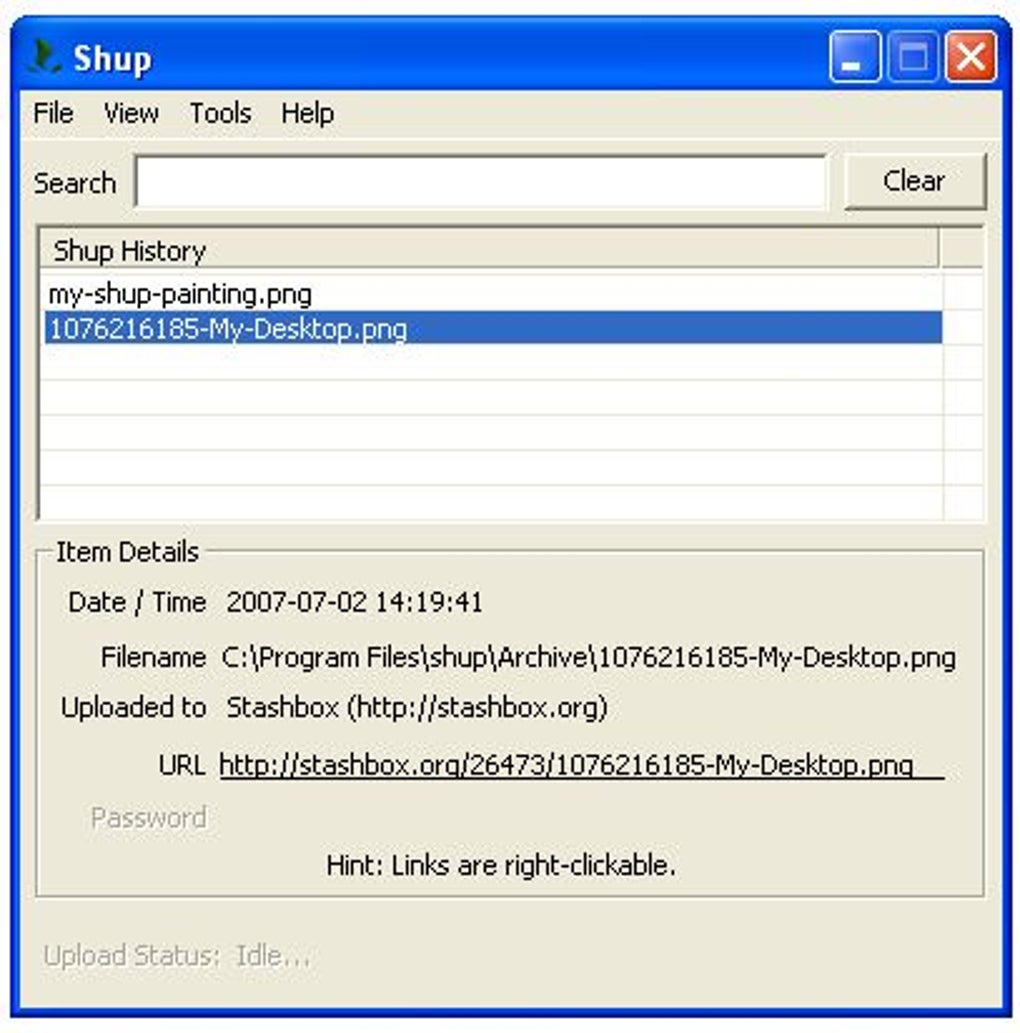
The image is instantly captured and uploaded to your selected hosting service. You can choose your preferred platform from the dropdown menu before or after capture. After upload, Shup automatically copies the shareable link to your clipboard, so you can paste it directly into emails, messages, or forums.
If you need to annotate, click the "Edit" button to open the basic editor, where you can draw, add text, or highlight areas. The editor is intuitive and requires no learning curve. For users on mobile, Shup offers a streamlined app experience with touch-friendly controls and instant sharing via social media, messaging apps, or cloud services.
Regular updates ensure bug fixes, performance improvements, and security patches, keeping your tool secure and up-to-date. Whether you're troubleshooting a tech issue, sharing a project update, or documenting a bug, Shup makes it faster than ever to get your screenshots out.
Compatibility & System Requirements
Shup is designed with cross-platform compatibility in mind, ensuring seamless performance across major operating systems. It is fully compatible with Windows 7 and later, including Windows 10 and Windows 11, making it accessible to the vast majority of desktop users. On macOS, Shup supports macOS 10.12 (Sierra) and newer versions, including the latest Apple Silicon (M1/M2) Macs, thanks to native Apple-optimized builds.
For mobile users, the Shup app is available on both Android (version 6.0 and above) and iOS (iOS 12 and later), ensuring broad accessibility. The software is lightweight, requiring only 50MB of disk space and minimal RAM—making it suitable for older or low-spec devices. It does not require admin rights for installation on Windows, and on mobile, it only requests screen recording permissions (iOS) or accessibility access (Android) for proper functionality.
These permissions are clearly explained during setup, and Shup does not collect or store your screenshots beyond the upload process. All data is encrypted in transit, and your privacy is protected. The app supports automatic updates via the built-in updater, so you always have the latest version with improved security and performance.
Whether you're on a budget laptop, a high-end workstation, or a smartphone, Shup delivers consistent performance. Its universal design means you can start a screenshot on your Mac and continue editing or sharing it on your iPhone—perfect for users who work across multiple devices.
Key Features of Shup
- Instant screenshot capture (full screen or active window)
- Direct upload to 5 popular image hosting services: Imageshack, Photobucket, Flickr, Stashbox, Waffle Images
- Basic built-in editor with drawing, text, and annotation tools
- One-click sharing with automatic clipboard copy of the link
- Lightweight design with minimal system resource usage
- Supports PNG format for high-quality, transparent images
- Available for Windows, Mac, Android, and iOS
- Automatic updates and secure data transmission
Pros & Cons of Shup
Pros
- Extremely fast and efficient screenshot workflow
- Seamless integration with major image hosting platforms
- Minimal system impact—ideal for older devices
- Simple, intuitive interface with no learning curve
- Free to download and use with no ads or hidden fees
- Available on all major platforms including mobile
Cons
- Limited to PNG format only (no JPG or other formats)
- Basic editor lacks advanced tools like cropping or filters
- Only two capture modes (full screen and active window)
- No local save option—images are uploaded immediately
- Dependent on third-party hosting services (if one goes down, sharing fails)
Frequently Asked Questions (FAQ)
Is Shup free to download and use?
Yes, Shup is completely free to download and use. There are no ads, no premium tiers, and no hidden costs. The core features—screenshot capture, editing, and direct upload—are fully accessible at no charge.
Which platforms does Shup support?
Shup is available for Windows (7 and above), macOS (10.12 and later), Android (6.0+), and iOS (12+). This ensures you can use it across desktops, laptops, and mobile devices.
Can I save screenshots locally before uploading?
No, Shup does not offer a local save option. Screenshots are uploaded immediately after capture. If you need to keep a copy, you’ll need to manually download the image from the hosting service.
Does Shup support JPG or other image formats?
Currently, Shup only supports PNG format for uploads. This ensures high-quality, transparent images but may not suit users who prefer smaller file sizes or JPG compatibility.
How secure is Shup when uploading screenshots?
Shup uses encrypted connections (HTTPS) for all uploads, ensuring your data is secure during transmission. It does not store your screenshots on its servers. Your privacy is protected, and images are only hosted on the third-party platforms you choose.
Final Verdict: Is Shup Worth Downloading?
Shup is a standout tool for anyone who values speed, simplicity, and direct sharing. While it may lack advanced editing features or format flexibility, it excels in what it does best: capturing and sharing screenshots in seconds. Its lightweight design, cross-platform availability, and seamless integration with top image hosting services make it a reliable choice for students, professionals, and casual users alike.
If you frequently need to share screenshots with colleagues, customers, or friends, Shup eliminates the hassle of multiple steps and third-party uploads. The free model, combined with regular updates and strong privacy practices, makes it a trustworthy option. For those who prioritize efficiency over complexity, Shup is not just a tool—it’s a productivity boost.
Download Shup today and experience the fastest way to share your screen with the world.
Call to Action: Ready to simplify your screenshot workflow? Download Shup now for free on Windows, Mac, Android, or iOS and start sharing instantly.
TechReview Pro Shup delivers on its promise: fast, secure, and simple screenshot sharing. The minimalistic approach is refreshing in a crowded market.






